
Matrix Session Break
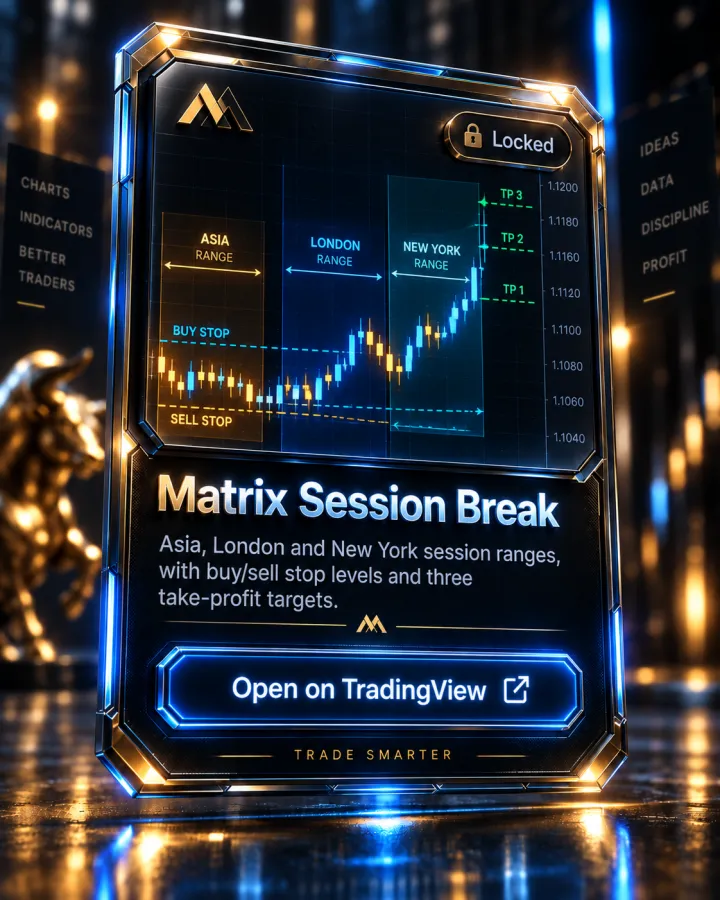
Asia, London and New York session ranges, with buy/sell stop levels and three take-profit targets.
What it shows
Matrix Session Break marks the consolidation range formed during the Asia, London and New York sessions, then projects pending buy-stop and sell-stop levels off that range with three take-profit targets. It fires a one-time directional arrow when a candle closes beyond the range, confirming the breakout. It auto-detects pip or tick sizing for the instrument, works on forex, futures, crypto and stocks, and includes a real-time dashboard (active session, range size, trend bias, and ADR) plus a built-in position-size calculator based on account size and risk percentage.
Per the script's own description, settings include the session times (with a timezone selector), how many bars form the range (2–50, default 6), risk-to-reward multipliers for the three take-profit levels, and the moving-average type and lengths used as a trend filter — the page names 50 and 200 EMAs specifically for that filter.
The author's suggested management is scaled exits: close a third of the position at each take-profit, moving the stop to breakeven after TP1 and trailing it to TP1 after TP2.
How it's used in the MTM method
The three sessions it ranges are the same Asian, London and New York sessions the curriculum's "Trading Session Times" lesson (Market Foundations module) teaches, including the Golden Zone and Kill Zone windows. Its range-formation logic mirrors the curriculum's "The A-Range" lesson on the Asian range's structure, and the scaled, multi-target exit style matches the "Risk-Reward Ratio" and "Counting Levels" lessons in the Risk Management module.
Key features
- Ranges the Asia, London and New York sessions with a customizable timezone
- Buy-stop/sell-stop levels projected off the range, with a one-time breakout arrow
- 50 and 200 EMA trend filter (configurable moving-average type and length)
- Three take-profit targets with configurable risk-to-reward multipliers
- Real-time dashboard: active session, range size, trend direction, ADR
- Built-in position-size calculator by account size and risk %
Pairs with
Matrix EMAS
The 5, 13, 50, 200 and 800 EMA ribbon the whole method is built on, each one colour-coded.
Matrix Shift Indicator
Shifts and peak formations off the 5 and 13 EMA: M / W setups graded A or B, with SL, Entry, TP1 and TP2 levels and KC exits.
Matrix News Indicator
CPI, jobs report and FOMC built in, plus your own events: a live countdown panel, shock candles and news-range breaks, with alerts.
Matrix Top Down Analysis
HOD and LOD, the Asia and London highs and lows, and the 15-minute New York opening range.
How access works
- This indicator is invite-only on TradingView. Access is granted automatically to your TradingView username after you join the Academy — usually within minutes.
- Open the Matrix Session Break script page on TradingView and click "Add to favorite indicators."
- On any chart, open Indicators (the "/" key) → Favorites, and it's there. It's also listed under your Invite-only scripts.
Matrix Session Break is included with every Academy plan — not sold separately
Full Academy access starts at $499, one-time, not a subscription. See full pricing.
FAQ
Which sessions does it range?
Asia, London and New York — the same three sessions taught in the curriculum's Trading Session Times lesson, including the Golden Zone and Kill Zone windows.
How many take-profit targets does it plot?
Three, with the author's suggested management scaling out a third of the position at each level and trailing the stop as targets hit.
Does it work outside of forex?
Per the script's own description, yes — it auto-detects pip/tick sizing and works across forex, futures, crypto and stocks.
More questions answered on the full FAQ page.
See the rest of the toolkit on the TradingView Indicators page.
Trading forex and futures involves substantial risk of loss and is not suitable for every investor. Nothing on this page is investment advice. Read the full risk disclosure.