
Matrix News Indicator
CPI, jobs report and FOMC built in, plus your own events: a live countdown panel, shock candles and news-range breaks, with alerts.
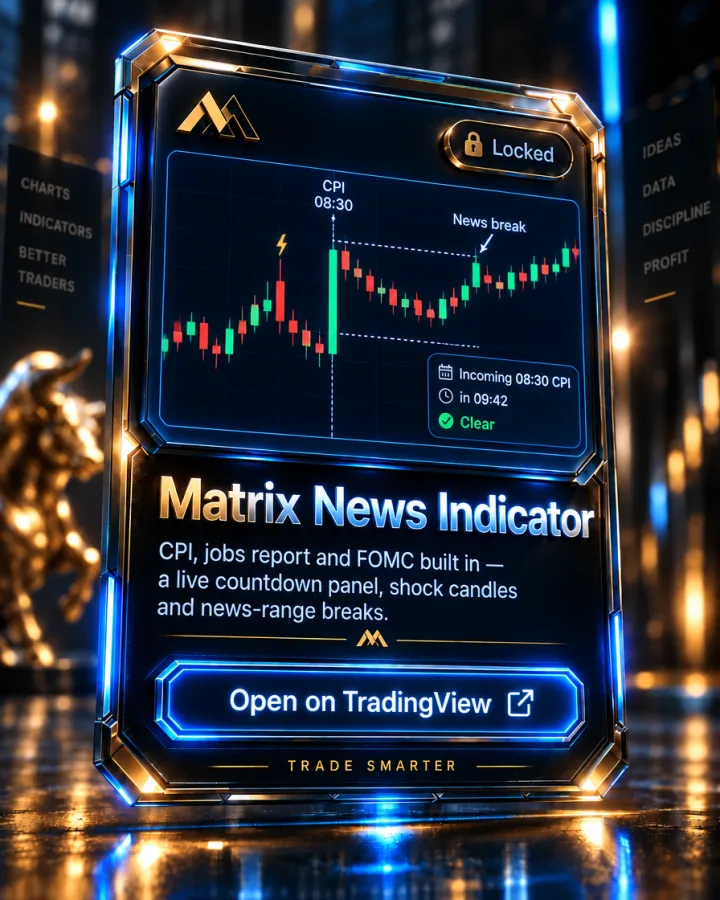
What it shows
Matrix News Indicator knows the scheduled US news that moves futures: the CPI and jobs report dates at 08:30 and FOMC days at 14:00 (with the 14:30 press conference), New York time, checked against bls.gov and federalreserve.gov. You can add any other event yourself (a Powell speech, retail sales) and up to three times that repeat every day.
A live panel in the corner of the chart walks through each event: Incoming with a countdown, Release, Ongoing with the range since the release, then Clear with the next event. Each release gets a dotted line labelled with its name, and dotted lines at the release candle's high and low, with a "News break" arrow on the first close beyond them.
It also flags shock candles with a ⚡: a candle at least three times the normal range for that time of day, which can mean news no calendar lists. Alerts cover every stage (a heads-up before, the release, all clear, shock candles, news-range breaks and a morning briefing), and every time is shown in the time zone you pick.
How it's used in the MTM method
There's no dedicated news-trading lesson in the current Academy modules, so treat this as a risk-management aid. Knowing a CPI, jobs report or FOMC release is minutes away lets you apply what the "1–2% Rule" and stop-loss lessons in the Risk Management module already teach: most traders widen stops or step aside around news, and this indicator tells you when that window is open and when it's clear again.
Key features
- CPI, jobs report and FOMC dates built in, anchored to New York time
- Your own events and up to three daily times, in your time zone
- Live panel: Incoming (countdown), Release, Ongoing, Clear
- Release-candle high / low with a "News break" arrow on the first close beyond
- ⚡ shock candles: 3× the normal range for that time of day
- Alerts for every stage, plus a morning briefing
Pairs with
Matrix Session Break
Asia, London and New York session ranges, with buy/sell stop levels and three take-profit targets.
Matrix EMAS
The 5, 13, 50, 200 and 800 EMA ribbon the whole method is built on, each one colour-coded.
Matrix Days of the week
Labels each trading day and flags Monday and Friday as trap days.
How access works
- This indicator is invite-only on TradingView. Access is granted automatically to your TradingView username after you join the Academy — usually within minutes.
- Open the Matrix News Indicator script page on TradingView and click "Add to favorite indicators."
- On any chart, open Indicators (the "/" key) → Favorites, and it's there. It's also listed under your Invite-only scripts.
Matrix News Indicator is included with every Academy plan — not sold separately
Full Academy access starts at $499, one-time, not a subscription. See full pricing.
FAQ
Does it pull news automatically?
The CPI, jobs report and FOMC dates are built in, so those appear with no setup. A TradingView script can't read a website, so anything else (a Powell speech, retail sales) you add under "Other events" as a date, time and name.
Is news trading part of the Academy curriculum?
Not as a dedicated lesson right now. This indicator is a scheduling and risk aid, best used alongside the Risk Management module's stop-loss and position-sizing rules around volatile windows.
More questions answered on the full FAQ page.
See the rest of the toolkit on the TradingView Indicators page.
Trading forex and futures involves substantial risk of loss and is not suitable for every investor. Nothing on this page is investment advice. Read the full risk disclosure.